The gateway is configured for one public MCP address, https://mcp.canonry.ai/mcp.
This source and hostname do not establish a live deployment.
During authorization the user enters a workspace slug or registered domain,
then signs in through
that instance’s existing Canonry login and consents to read access. One grant
belongs to one instance and its immutable local user ID. It cannot switch
workspaces through MCP arguments or combine multiple instances.
Each workspace also has its own address, https://mcp.canonry.ai/mcp/<workspace ID>,
for clients that keep one connection per URL, such as Claude’s custom connectors.
Its protected-resource metadata names that address as the OAuth resource, so a
token issued there works only there and only for a grant to that workspace, and the
consent page fills in that workspace and keeps it. Every well-formed workspace
address answers metadata, registered or not, so an address never reveals whether a
workspace exists; the registry lookup still happens only at consent. The shared
address is unchanged.
flowchart LR
  Client[ChatGPT or Codex] -->|Gateway OAuth bearer| Gateway[MCP gateway]
  Gateway -->|Instance OAuth bearer| Instance[Selected Canonry instance]
  Gateway --- Store[Encrypted grants and credential vault]
  Instance --- Data[Users, permissions and business data]
The independently deployed app forwards the complete supported read-only catalog. Canonry remains the owner of business tools, resources, prompts and permissions. Simple and Advanced Measurement use the same connection. The synthetic reviewer instance uses exactly the same transport and catalog policy.
canonry_gateway_profile is the one gateway-owned authentication wrapper. It
returns a persisted opaque profile ID plus available display labels from the
current authorized connection. It adds no business operation and accepts no
workspace/user override. IDs survive refresh, reconnection and display changes;
the same local user ID on two instances remains two different profiles. Every
tool descriptor declares the gateway’s read OAuth scope at top level and in
_meta. These declarations supplement server-enforced authorization. See the
OpenAI profile/authentication contract.
See the engine contract for discovery,
profile identity, refresh/revocation and session behavior. The canonical upstream
OAuth resource ends in /api/v1/mcp; the transport ends in
/api/v1/mcp/readonly. They are deliberately different. Read discovery and verify
it against the registry before using either endpoint.
Every upstream must implement that hardened engine contract, including durable grant lineage, refresh replay protection, grant-wide revocation and current user authority. Legacy compatibility describes the MCP wire protocol only; it does not permit an older engine that lacks those controls. Operators must validate these behaviors before onboarding. Protocol negotiation and the catalog policy label do not attest to engine hardening.
Environment parsing lives in packages/config/src/mcp-gateway.ts. Configuration
errors stop startup. The gateway never reads ~/.canonry/config.yaml.
| Setting | Provisioning |
|---|---|
CANONRY_GATEWAY_CONFIG |
Absolute path to the operator-managed JSON registry. Mount read-only. |
CANONRY_GATEWAY_VAULT_KEY |
Secret manager value: canonical base64 encoding of 32 random bytes. Keep separate from the database and backups. |
CANONRY_GATEWAY_COOKIE_KEYS |
Secret manager value: JSON array of random signing keys, each at least 32 characters. Current key first; retain old keys during rotation. |
The JSON configuration contains:
| Field | Required production value |
|---|---|
issuer |
Exact public HTTPS origin, without trailing slash; production uses https://mcp.canonry.ai. |
development |
false. Loopback HTTP is allowed only when explicitly true. |
host, port |
Bind 0.0.0.0 in the container, port 4101; restrict ingress to the TLS proxy. |
databasePath |
Persistent path such as /data/gateway.sqlite; never :memory:. |
clients |
Approved public OAuth clients and exact redirect URIs. native clients may also register portless loopback URIs. |
tenants |
Approved workspace registrations described below. |
requestTimeoutMs |
Bounded upstream request timeout; default 30000. |
rateLimitPerMinute |
Request budget; default 120. |
maxBodyBytes |
Maximum request body size; default 1048576. |
trustedProxyAddresses |
Exact proxy peer IPs allowed to supply a single X-Forwarded-For client address for rate limiting. Default empty. |
domainVerificationToken |
Optional exact portal challenge token. It is returned as plain text at /.well-known/openai-apps-challenge. |
The remote plugin uses client_id: canonry-chatgpt with
token_endpoint_auth_method: none, grant_types: [authorization_code,
refresh_token], and response_types: [code]. ChatGPT and Codex share that
client ID. ChatGPT calls back on the exact HTTPS URI from its connection setup;
Codex calls back on http://127.0.0.1:<port>/callback with a port it picks for
each sign-in. Register the client as native with both (the first entry below).
Give each other client its own ID and registered redirect list. Do not guess
callback paths, accept wildcard redirects, or add a client secret to the plugin
package.
A CLI or desktop client that receives the code on a loopback port it picks for
each sign-in, such as Claude Code, sets application_type: "native" and
registers loopback HTTP redirects without a port, for example
http://localhost/callback. The gateway then accepts any port on that exact
host and path (RFC 8252 section 7.3); the host must match, so register
localhost and 127.0.0.1 separately when a client can use either. A native
client may also register exact HTTPS redirects on a public host, for one client
ID that signs in from both a hosted app and a CLI. Every other client stays
web (the default) with exact HTTPS redirects. The Claude Code adapter in
plugins/canonry-remote uses the second entry below. Claude Code calls
back on localhost; versions 2.1.229 and 2.1.230 used 127.0.0.1, and Claude’s
published client metadata lists both. Claude on the web, desktop and mobile
calls back on one HTTPS URI and accepts a user-entered client ID, so it uses the
third entry:
{ "client_id": "canonry-chatgpt", "client_name": "ChatGPT and Codex", "application_type": "native", "redirect_uris": ["https://chatgpt.com/connector_platform_oauth_redirect", "http://127.0.0.1/callback"] }
{ "client_id": "canonry-claude-code", "client_name": "Claude Code", "application_type": "native", "redirect_uris": ["http://localhost/callback", "http://127.0.0.1/callback"] }
{ "client_id": "canonry-claude", "client_name": "Claude", "redirect_uris": ["https://claude.ai/api/mcp/auth_callback"] }
Authorization server metadata lists only the granted scopes, read and
offline_access. oidc-provider always adds openid, which the gateway refuses,
and Codex requests every listed scope, so the gateway removes it from
scopes_supported.
Each tenant entry supplies an immutable id, displayName, approved origin,
issuer, canonical resource, read-only mcpUrl, enabled, compatible
protocolVersions, catalogVersion: "canonry-readonly-v1", and the instance’s pre-registered
upstreamClientId. Register the gateway’s exact ${issuer}/upstream/callback URI at that instance
before onboarding (production: https://mcp.canonry.ai/upstream/callback). Set the same ID as
mcpGateway.clientId in the instance’s config, or its consent page warns that the gateway chose
its own name (docs/mcp.md). Use discovered endpoints and the engine’s supported versions. The gateway
negotiates a supported MCP version and enforces the read-only annotation policy.
catalogVersion selects that gateway policy contract; it is not a version
attested by the upstream profile or initialization response.
Never derive a destination from an email address, tool input or incoming header.
The public consent page does not list workspace names, IDs or origins. The workspace field accepts an exact registry ID or registered host, including a port in development. Unknown, ambiguous and unavailable entries show the same retry message. The submitted value only selects a registry entry. It never becomes a network destination. A separate handoff page starts upstream login after selection, so the initial CSP does not expose tenant origins.
Private upstream origins require an operator’s explicit allowPrivateNetwork
provision. This permits an approved deployment topology, not arbitrary user URL
fetching. Review network egress policy for each approved origin. Never recycle a
tenant ID for a different instance or move an existing grant to a new origin.
From the repository root, on a supported Node version:
pnpm install --frozen-lockfile
pnpm --filter @canonry/canonry-mcp-gateway build
pnpm --filter @canonry/canonry-mcp-gateway start
Provision the three environment settings before start. Keep configuration and
secret files outside the source tree. Do not use an existing customer instance
for local testing.
Build the standalone image from the repository root:
docker build -f apps/mcp-gateway/Dockerfile -t canonry-mcp-gateway:review .
Run one active replica with a persistent /data volume owned by UID 1000,
a read-only configuration mount and secret-manager-injected environment values.
Use a read-only container filesystem except /data and a bounded temporary
filesystem. Expose only the TLS proxy. The Dockerfile pins Node 24.22.1 LTS, supported by the OAuth library, and installs
the frozen dependency graph.
Terminate HTTPS at a trusted proxy configured for the exact public hostname.
Strip untrusted forwarding headers; preserve the approved public origin. Allow
MCP POST/GET/DELETE and streaming response bodies, disable buffering for SSE,
and set proxy timeouts above the application request timeout. Apply connection,
request-size and anonymous-auth rate limits at ingress as well as in the app.
GET /health is a liveness probe; successful liveness does not prove every tenant
is reachable or its user credentials remain valid.
Each authenticated MCP HTTP request checks current instance authority once. Long-lived notification streams check authority again before delivery. Each tool call still checks the read-only catalog, and the instance enforces its current permissions.
The gateway reuses HTTP connections within one tenant, origin and network policy. Every new socket still uses the validated DNS lookup. Modern requests exclusively lease upstream MCP clients. Reuse stops after 60 idle seconds or five minutes since client creation. Catalog verification lasts at most five seconds per upstream client. Grant, user, bearer, effective profile scope and registry policy changes prevent reuse. Catalog-change notifications invalidate verification immediately. A failed catalog refresh cannot use an expired result.
Admission includes clients that are opening, active or idle. Limits are 16 per grant, 32 per tenant/user and 1,000 across the gateway. Idle reusable clients can be evicted. When capacity is unavailable, the gateway returns 503. Legacy sessions expire after ten idle minutes. These limits prevent one grant from occupying the shared pool, but they do not replace ingress limits.
enabled: false, then restart
the single gateway replica to load the edited registry. Verify a previously
authorized connection is denied. Do not delete or reuse the tenant ID.POST /disconnect with the gateway bearer to invalidate
the outer grant and its MCP sessions immediately, then attempt upstream
grant revocation. Failed upstream revocation remains queued durably for retry;
it does not restore local access.
OAuth clients may instead use the discovered /oauth/revoke endpoint; upstream
cleanup then follows the gateway’s grant cleanup lifecycle. Verify old access
and refresh credentials are rejected. Reconnecting requires fresh instance
authorization.Deploy with a stop/start replacement, not overlapping replicas sharing SQLite. Before an upgrade, retain the previous image, registry, secrets and a consistent backup. Validate the new version with disposable fixtures and staging first. To roll back, stop the new version and restore the previous compatible image and state together. Never restore stale refresh-token state after the upstream has rotated it; disconnect affected grants and reconnect instead. A rollback must not resurrect revoked grants. Production deployment and DNS changes require a separate release action.
The gateway suite must start two actual Canonry instances from the shared synthetic fixture, each with a separate temporary DB, users, projects and tokens. It must not read existing local configuration or call paid providers. Run final checks only after implementation is ready for review:
pnpm check
pnpm --filter @canonry/canonry-config typecheck
pnpm --filter @canonry/canonry-config lint
pnpm --filter @canonry/canonry-config test
pnpm --filter @canonry/canonry-mcp-gateway typecheck
pnpm --filter @canonry/canonry-mcp-gateway lint
pnpm --filter @canonry/canonry-mcp-gateway test
pnpm --filter @canonry/canonry-mcp-gateway build
pnpm plugin:check
Integration evidence must distinguish successful OAuth and consent, audience checks, persistent profile identity across refresh/reconnection/display changes, full upstream catalog/resource/prompt parity plus the identity-only wrapper, representative data reads, rejected writes, tenant/session isolation, invalid transactions, refresh/replay, disconnect, user/role changes, suspension, outage and restart recovery. Check actual results; a list of declared tools or passing mocked upstream tests is insufficient. Record each validation result with its tested revision and command. Keep these evidence categories separate:
| Check | What it establishes |
|---|---|
| Real-engine local integration | Gateway behavior against isolated synthetic Canonry instances at the tested revisions. |
| Container build and smoke | The image builds and starts with the tested mounts/configuration. It does not establish public reachability or host compatibility. |
| Live ChatGPT/Codex walkthrough | Actual host import, OAuth, tool use and reviewer access against the deployed endpoint. This remains unrun until separately recorded. |
Network stubs cover network boundaries only. Neither local integration nor a container smoke substitutes for the live host walkthrough.
After the review fixes, the Node 24.22.1 gateway suite passed 79/79 tests,
with no failures or skips. Shared config passed 38/38 on the unchanged
configuration source, reused from commit 2062e1d2377c1598a38cea834bc388ed777bc63e. Two actual isolated engines cover Simple
and Advanced portfolios, modern/legacy combinations, exact catalog and result
parity, scoped identity, refresh, revocation, outages and restarts. SDK protocol
fixtures additionally exercise streaming, cancellation, empty cursors and
subscription/logging recovery. Pre-fix runs detected the repaired lifecycle,
protocol and browser-header regressions. Review fault probes also reproduced
workspace-origin disclosure, extra sockets/profile reads, repeated SDK setup,
missing admission limits, stale concurrent catalog validation, silent failures,
incorrect 400 responses and an uncaught malformed-status error. All source was
restored before the final 79-test passing run.
The engine base is PR #1427, commit
15c101a557e0371cbb1c4a58e8673f2316b118f5. Its unchanged engine validation is
recorded there. The combined 7.74.0 tarball was built, installed outside the
checkout, and smoke-tested across REST, CLI, modern and legacy HTTP/stdio MCP,
including Simple/Advanced evidence and permission denials with loopback stubs.
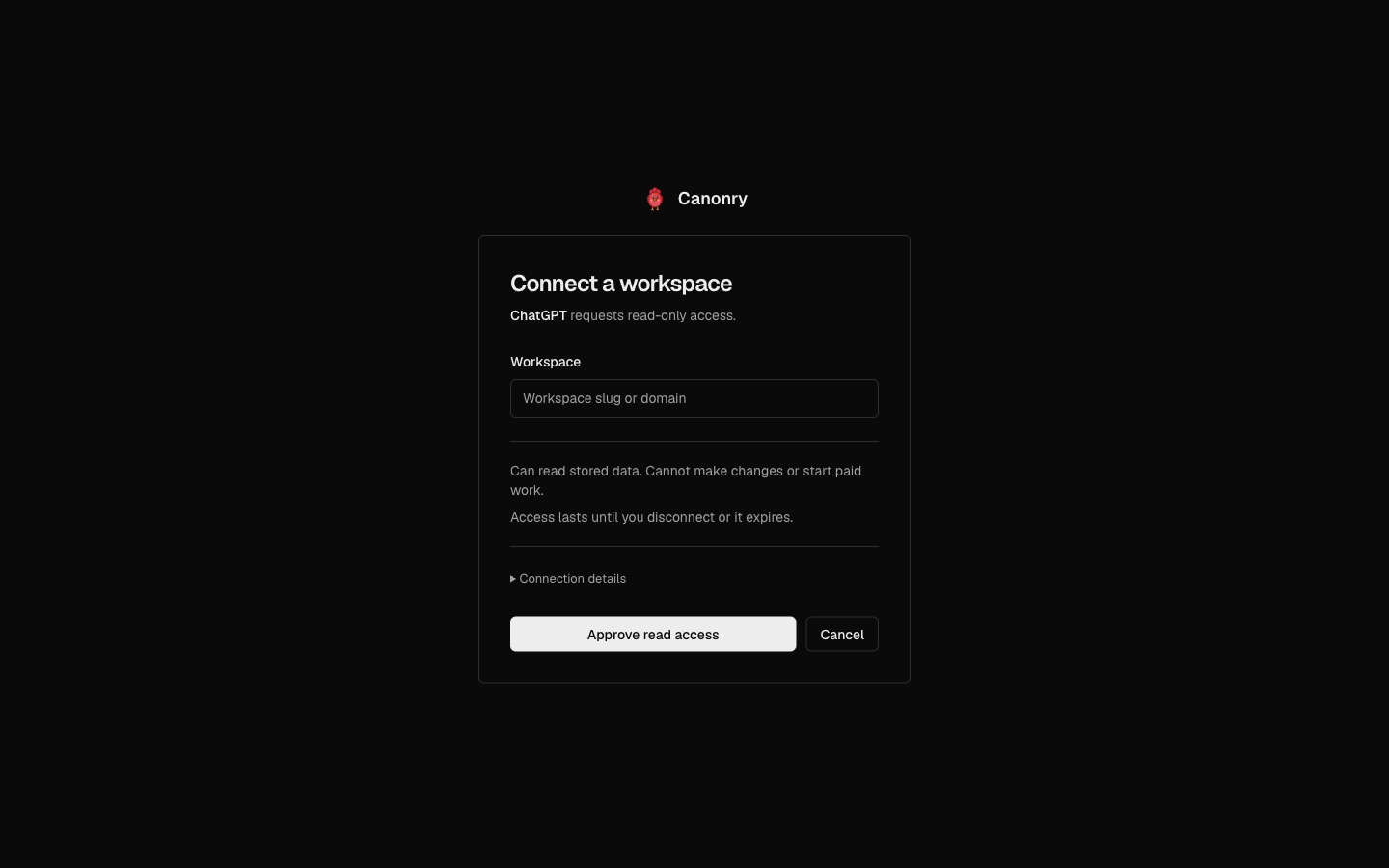
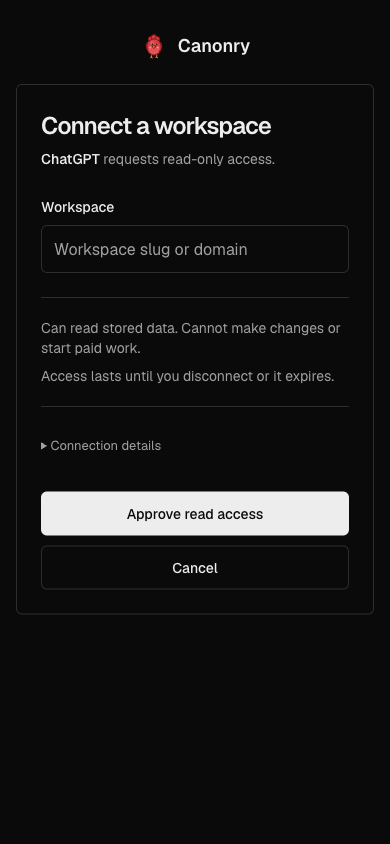
Chrome checks passed at 1440×900, 390×844 and 320×720: readable content without
horizontal overflow; keyboard order Workspace, Connection details, Approve,
Cancel. Cancel returns
access_denied with the original state; Approve reaches the provisioned
synthetic login. All destinations were loopback fixtures. See the
desktop, mobile,
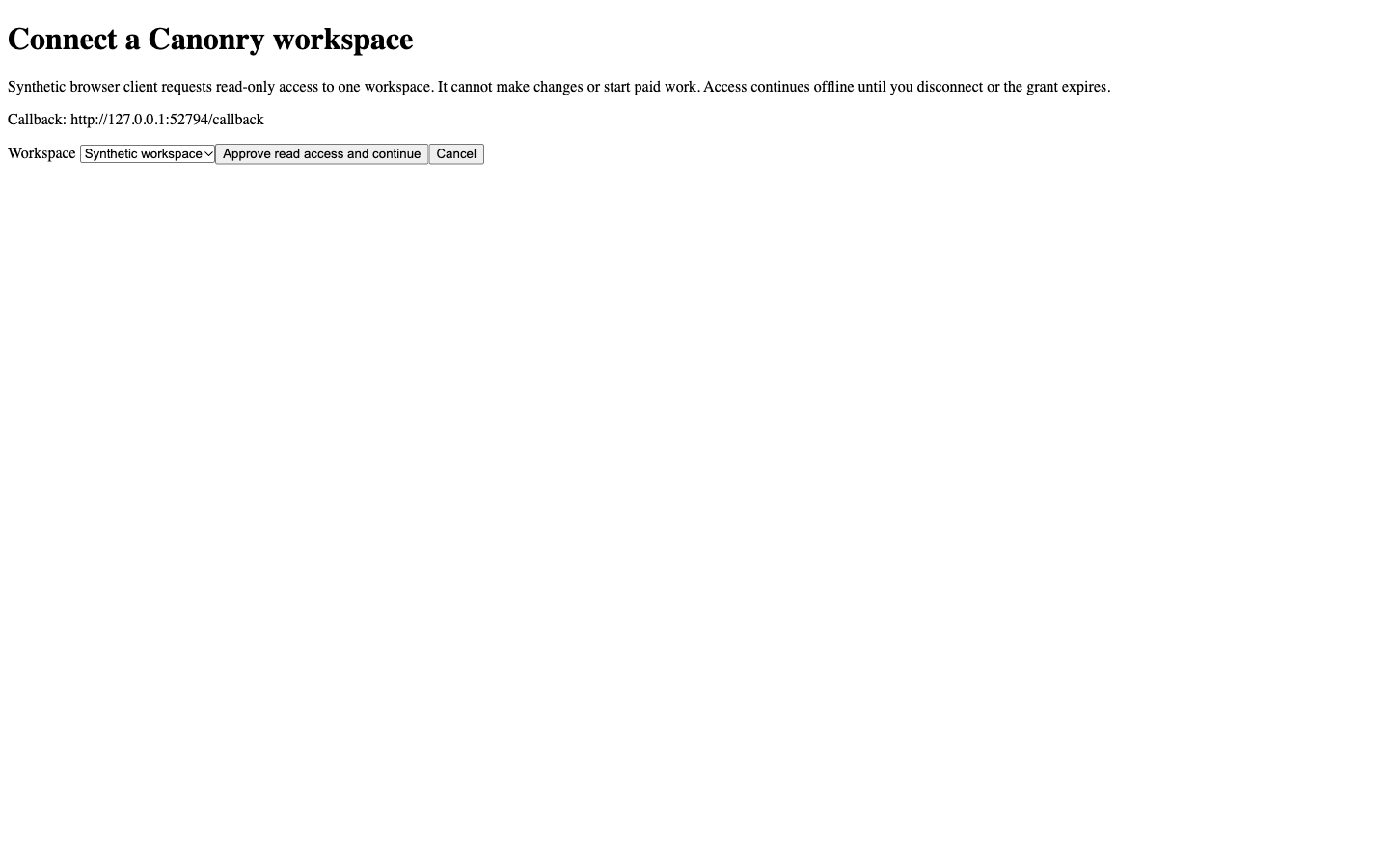
before styling, and
pre-fix failure captures. These checks do not establish
live ChatGPT/Codex compatibility or production deployment.
The consent screen follows Canonry’s dark Geist palette, typography and canary branding. Native controls keep the page usable without JavaScript; narrow screens use full-width actions and at least 44px touch targets. Connection details expand in place, including long callback addresses. The workspace field remains blank until the user enters a slug or domain. Cancel works with an empty field. Fonts are served locally, with their license included in the container. A fresh nonce authorizes only the page’s styles; no external assets or inline scripts are permitted. Browser checks confirmed loaded fonts, visible keyboard focus and wrapped long client labels and callback addresses. Security tests cover escaped configuration values, nonce rotation, empty-field cancellation and the fixed font route.
Final typechecks, type-aware lint, pnpm check, generated SDK/guidance/Val
checks, plugin drift checks and builds passed. Config lint retains one existing
warning in src/index.ts:448. The standalone Docker image also passed health,
OAuth discovery, unauthenticated MCP challenge, non-root/read-only filesystem,
signing-identity persistence across container restart, and packaged consent,
SVG, font GET/HEAD and font-license checks.
The package and eight review cases are in
plugins/canonry-remote. Their current
status is not run in ChatGPT/Codex. Local integration results do not establish
that a reachable deployed endpoint works in either host.
plugin.json. Save each actual
tool call, its result and the user-visible response as Passed, Failed, Blocked
or Not run in private review evidence. Never include credentials in captures.review.demo_recording_url.Do not claim live validation, reviewer access, submitted status or publication until that specific action has succeeded. Keep demo accounts and data maintained for subsequent review; changes to a customer’s account never affect demo access.